 The Linux Foundation offers many resources for developers, users, and administrators of Linux systems. One of the most important offerings is its Linux Certification Program, which is designed to give you a way to differentiate yourself in a job market that’s hungry for your skills.
How well does the certification prepare you for the real world? To illustrate that, the Linux Foundation will be spotlighting some of those who have recently passed the certification examinations. These testimonials should serve to help you decide if either the Linux Foundation Certified System Administrator or the Linux Foundation Certified Engineer certification is right for you. In this latest installment of our continuing series, we talk with Steve Sharpe.
How did you become interested in Linux and open source?
I first started reading and learning about Linux prior to high school, what sparked my initial interest was so long ago I can’t remember. I do, however, remember spending weeks trying to download workable distributions at 33.6kbps and wrestling with compilation dependencies.
What kept me interested in open source is the sheer amount of tasks you can accomplish without licenses and the possibility of community contributions.
What Linux Foundation course did you achieve certification in? Why did you select that particular course?
The certification I achieved was the Linux Foundation Certified System Administrator (LFCS), however, I haven’t completed any of the courses from front to back, but I have done several sections from the free LF-sponsored edX course, and recently signed up for the paid LFCS course for a review. Besides the cost, which is most certainly an important factor, these courses allow for self-paced learning style. It’s has taken me a decade of learning to get to where I am now, so I was not convinced much could be learned a 4-day workshop. It’s easy to forget things from even a 4-month semester.
What are your career goals? How do you see Linux Foundation certification helping you achieve those goals and benefiting your career?
I feel the certification forces a certain level of competency, which in turn acts as a litmus test for my confidence in the field. I like the technical and design roles that Linux allows (something that ordinarily you don’t do in an ordinary Windows role). I’m sure there is a lot of staff management but I am hoping for individual case studies to explore high availability, grid, and cluster computing, etc.
 There are a few specific areas I would like to use Linux: System administrator role at the Ontario Institute for Cancer Research in Toronto and Sickkids (which is also in Toronto). They use Linux for high-performance computing (clusters) to run queries on enormous data sets in search of answers to diseases. I have a deep passion for science and also for helping people and would love to make a contribution — working on computers that researchers use to find cures is both a contribution and a hand in science.
What other hobbies or projects are you involved in? Do you participate in any open source projects at this time?
As cliche as it sounds, I follow Slashdot regularly and scientific publications from Nature and Scientific American. I volunteer at my local college assisting students in a range of topics which sometimes does involve open source. I also regularly check the Fedora Project’s open help desk tickets that are publicly viewable to see if there is anything within scope of my abilities. So far, it’s been an indication to continue learning more.
Do you plan to take future Linux Foundation courses? If so, which ones?
I do plan to sign up for any self-paced Linux Foundation courses that arise that are within budget.
In what ways do you think the certification will help you as a systems administrator in today’s market?
I feel certification will help get the foundational skills to be involved in open source projects, which in turn will further test my abilities. I feel if I can regularly fix technical issues facing community projects that I may be an asset to an organization.
What Linux distribution do you prefer and why?
I give props to Debian for fixing the biggest pain point I personally had when trying to learn Linux fifteen years ago. Because of that, I still have a warm fuzzy feeling with Debian-based distros (and personally like Cinnamon that Linux Mint popularized). I did my certification with Ubuntu Server, and the package management software just works like a charm.
Are you currently working as a Linux systems administrator? If so, what role does Linux play?
I actually work with a company that is a Microsoft Partner. I do use Linux on my own time to do proof of concepts for work, such as laptop imaging and a captive portal for wireless.
Where do you see the Linux job market growing the most in the coming years?
I certainly see a lot more Linux at Microsoft =) The latest edition of Windows Server supports NFS, and their System Centre includes Linux management. I see Linux integrating with organizations that used to be Microsoft-only partners.
What advice would you give others who are preparing for certification?
Focus mostly on doing, not memorizing. Put other people’s flashcards and prepared questions away and build your own. You’ll have things you’ll need to memorize while you’re going through labs, and that will be the best flashcards to use while waiting in line at the grocery store. The bulk of what I did to pass the exam was hands-on labs and doing the task with less and less documentation. My two main lab sources were Tecmint and Linux Academy and some of the nicest documentation can be found on Arch Linux’s wiki.

 We have some sad news to share with you today, especially for fans of the Fedora Linux project, as we have just been informed that the final release of Fedora 23 has been delayed by one week, and it will be released on November 3, 2015.
  We’d like to take this opportunity to thank
 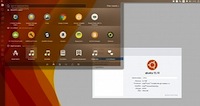 Ubuntu 15.10 (Wily Werewolf) has finally arrived in its stable form, but don’t expect to see too much on the desktop side. This new release of Ubuntu has a lot more changes and features on the cloud and server side of things.